Oct 23, 2017
Product Review (sort of):
If you’re thinking about buying an Amazon Echo, take the plunge! I love them so much that I have 3 — one in the office, one in the bedroom and one in the kitchen. I use them every single day for something or the other. Below are just 10 of my favorite Alexa requests:
- Set a timer (for cooking and more)
- Read a book
- Set an alarm (needed to get out of bed)
- Play sleep sounds (needed to go to sleep)
- Tell me the weather and latest news
- Turn on/off lights and control thermostats
- Use as an intercom (drop in also works with other Echo owners)
- Works great as a speaker phone (a simple — “Alexa, call Mom”)
- Play music (playing to “group” has the same music in every room there’s an Echo)
- And my favorite — adding events to my calendar (For example, “Alexa, add meet Linda in Crothersville tomorrow at 11:00 AM to my calendar.“)

Sadly, Alexa must be from the north because she obviously has a problem understanding my midwestern drawl (as evidenced by the calendar entry above) — I guess Crothersville does sound a little like Crullers Bill when I say it. 🙂
I also have an Amazon Fire Stick on every TV (except one — it’s equipped with Apple TV) providing easy access to apps for Amazon Prime movies, Netflix, DirectTVnow, and more. The good news is that Amazon is offering these 2 products as a bundle. Because they are so easy to use, I purchased the bundle for the pesky neighbors! Nothing to put “on vacation” while enjoying a summer home in Indiana and a winter one in Florida.
While my favorite brother showed up to spend quality time with the peskies — he didn’t give them an Echo and a fire stick. That’s why I am (and always will be), the favorite.
Feb 28, 2017
The running joke is that my Mom & Carl are spending my inheritance. Their latest purchase — a brand new Mini convertible — is more attractive than Mom’s collection of rolling pins. Things are looking up!
In all seriousness — seeing them happy makes me smile…
Feb 26, 2017
I’m primarily writing this post because about every other day I open up one of my email programs forgetting what it was I hated about it — only to switch again because I forgot what I hated about the next one.
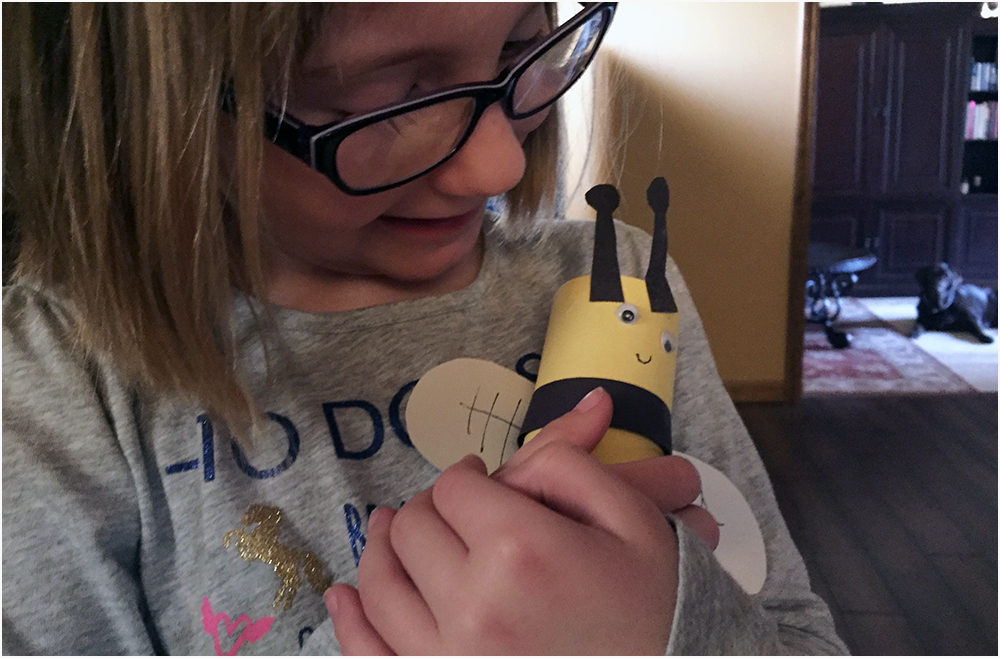
But before I go into my email woes, I want you guys to see a happy bee (and a photo bombing hound dog):
So here goes…
We are a Mac based G-Suite email office. My greatest struggle is finding an email client I like that serves all my needs. I hope to refer to this so I remember which is the lesser of evils.
Outlook: Contacts do not merge with IOS contacts and no calendar subscriptions… just the Outlook calendar and I don’t need another one to manage.
Airmail: Either 2 sent messages or none are saved on the server and search criteria is poor even after indexing my bajillion messages.
Postbox: No way to set a “timed” reminder. No calendar integration.
Mac Mail: Some clients can’t reply to messages and fonts/sizes vary on what the recipient uses for mail retrieval.
Cloze: AMAZING… but no desktop client. I’m not a fan of webmail.
I could list many, many more — but they are even worse than the 5 above.
What’s a Mac girl to do? Please share any suggestions. 🙂
Feb 25, 2017
I’m truly blessed. My family may be small, but it’s the BEST! In a million years, I would’ve never imagined my son would become such a wonderful father with a little girl that loves him completely.
Feb 24, 2017
I love flowers and love when I get them. The story behind the bouquet below still makes me chuckle. Perry, and my good friend, Sherry — who happens to be an amazing designer, evidently had a little chat. They both agreed that I wasn’t ordinary and I’m pretty sure Sherry came up with the creative word that was the back-end of this arrangement. Funky. I don’t feel funky… I feel…
I feel like I want to throat punch the dude that said it would be a wonderful thing to post something every day that makes you happy.